Dance Descriptions - Structured Data, Google, Bing, etc.
Note: Most of our pages are fine on smaller screens but this one is less so.
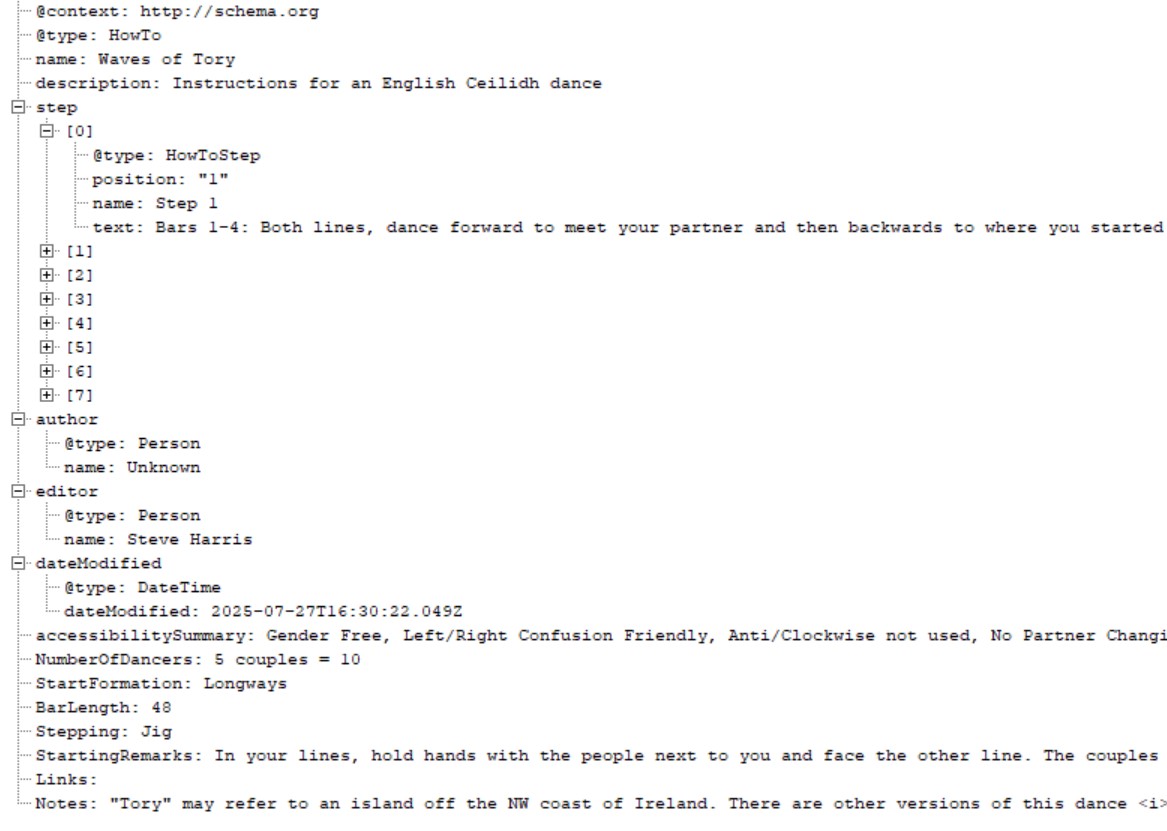
This is a rather technical document designed to help webmasters get their Ceilidh dance descriptions possibly listed by Google and other "Search Engines". It's how we code up our pages in our database. If you want to understand how it all works, perhaps because you want to enhance your site or build a system for another sort of dance, read on!
The Guide
Complexity, Completeness and Practicality
If you study
schema.org which is basis of what we, Google and others have done, coding up dances looks quite complex. However, if you code up every little detail, not only will it take you a lot of time, it's unlikely that anybody (or any robot) will be making use of
all your hard work. We've decided that these our dance descriptions are what
schema.org calls a
HowTo and complied with that as far as possible and extended it where we couldn't see an alternative.
Use JSON-LD (JavaScript Object Notation for Linked Data)
This format has been used by Google for some time and Bing recently went over to it (although some of their documentation hasn't caught up yet). Some of the other formats are OK although "microformats" interleave the structured data with the visible HTML in a way that needs a lot of care and makes maintenance harder.
Important: As of July 2025, we know of no Search Engine that makes use of
schema.org data for dance instructions. We may be first! This is in contrast to
a similar project for English Ceilidh events. We are pretty certain that Google notiices and uses our data for events.
Sitemaps
So, you've created your page(s) and perhps sumitted them to Google but that's not necessarily a particulalry effective or efficient way of getting your pages indexed and visited. Google, Webfeet and Bing have a preferred way of being kept up to date with events - sitemaps. These are not the pages you often see on websites called "Site Map", they are a machine readable file that's also not too hard for humans either.
Basically, they list the URLs of pages you want to be looked at together with information about changes. Here a fragment of
one of ours
<urlset xmlns="http://www.sitemaps.org/schemas/sitemap/0.9" xmlns:xsi="http://www.w3.org/2001/XMLSchema-instance" xsi:schemaLocation="http://www.sitemaps.org/schemas/sitemap/0.9 http://www.sitemaps.org/schemas/sitemap/0.9/sitemap.xsd">

<url>

    <loc>https://eceilidh.org.uk/diversity/dance-files/Avon-Industrial-Estate.php</loc>

    <changefreq>daily</changefreq>

    <priority>0.6</priority>

    <lastmod>2025-07-22T23:16:38+01:00</lastmod>

</url>

<url>

 <loc>https://eceilidh.org.uk/diversity/dance-files/Blaydon-Races-Mixer.php</loc>
- You should also add a link to your sitemap file to your robots.txt file like this:
Sitemap: https://eceilidh.org.uk/dance-files-sitemap.xml
- Use Google's Search Console and Bing's Webmaster Tools to tell it where to find your sitemap
We reccomend that when you add/change/delete an event, update your sitemap file and "ping" Google and Bing by visiting these addresses:
http://www.google.com/webmasters/sitemaps/ping?sitemap=http://your-site.com/sitemap.xmlhttp://www.bing.com/webmaster/ping.aspx?siteMap=http://your-site.com/sitemap.xml(this doesn't work anymore)
Useful Resources
